Free Resource
What a homepage needs so ChatGPT recommends you. If your homepage opens on a slider and a slogan, an AI working out who you are has nothing in it to repeat. Here's what to put on it instead: eleven sections, in order, with what goes in each and why.
Your homepage is where people and machines work out who you are. Its first lines should say what you sell, to whom, where and since when, and each claim should link to a source that backs it up.
The reel covered five ideas from this blueprint. Here they are with the drawings, in the order they sit on the page.
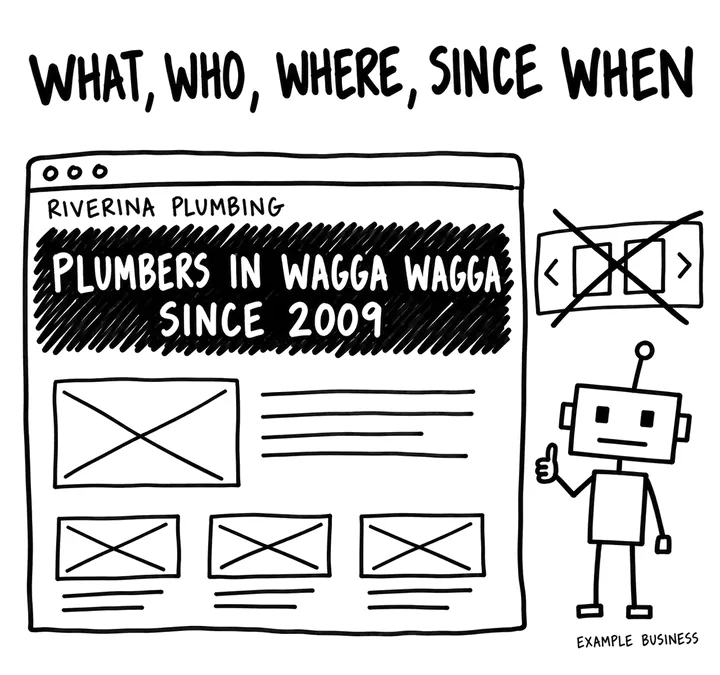
Your first line says what you sell, to whom, where, and since when, in plain text. A slider and a slogan give a buyer, and an AI working out who you are, nothing to repeat.
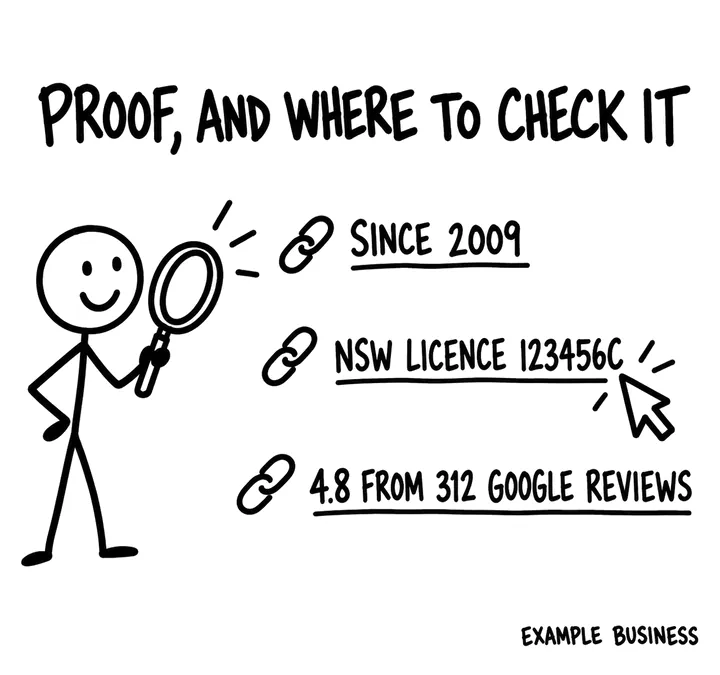
Three or four facts anyone can check, each linked to a source that confirms it: your licence to the licence register, your rating to the reviews. That link is what turns a claim into something people can check.
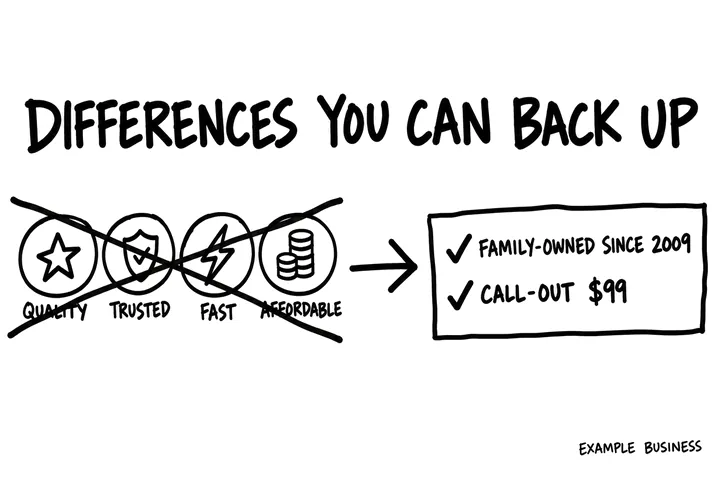
Swap the why choose us icons for two or three differences you can back up, like a number from your own records or a guarantee with its terms. Quality, trusted, fast and affordable are words any business can use.
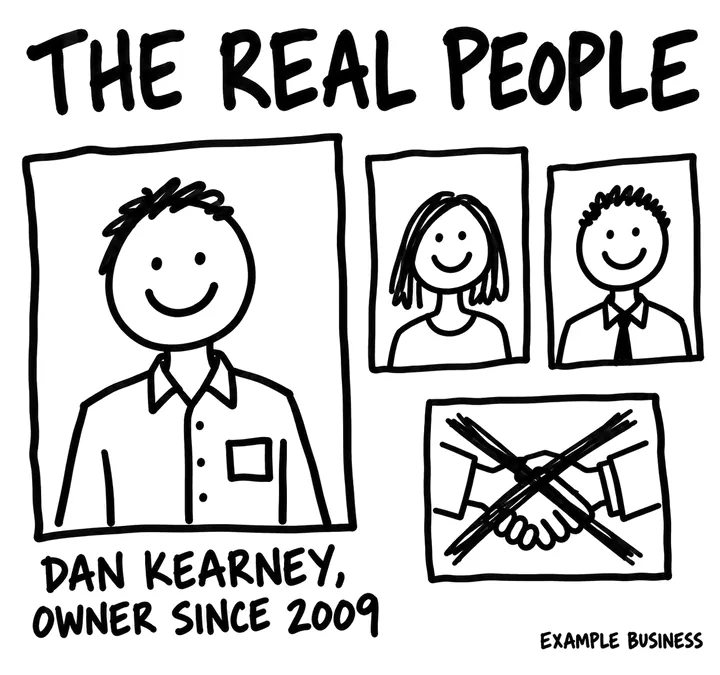
The owner and the key people, with real photos, their roles and qualifications, and a link to each profile. Named people give buyers and AI something to check. A stock photo of a handshake doesn't.
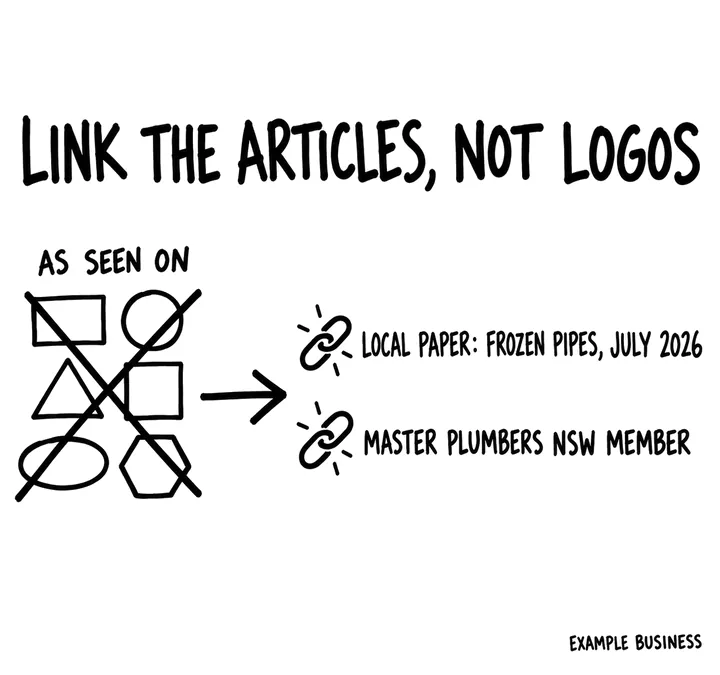
Swap the as seen on logo wall for links: each mention gives the publication, what they said, the date and a link to the article, and each membership links to the body's own listing. A logo on its own gives nobody anything to check.
The drawings use invented example businesses. The figures show the level of detail a page needs, not advice.
Eleven sections, in the order they sit on the page. The letter in brackets is the part of SOURC-E each one serves: Structure, Offsite, Uniqueness, Relevance, Credibility or Evaluation.
An H1 with your name or what you do, and under it one or two plain sentences: what you sell, to whom, where, and since when. Lead gen adds the phone number as text and one button to book or quote; ecommerce adds the main categories and a shop button. Plain text in the HTML your server sends, not words baked into a slider image.
This is the sentence an AI repeats when someone asks who you are, and the one a new visitor judges you on. A slogan in its place leaves both guessing.
Three or four facts anyone can check, each linked to where they can check it: years operating, licence or accreditation number, and your review rating with the count and the source. Ecommerce swaps the icons in the usual USP strip for numbers: delivery cost and time, the returns window and a rating from an independent review site, each linked to its policy page.
Checkable facts carry more weight than free-shipping icons and adjectives, and they are the facts buyers and AI answers compare between businesses.
Lead gen: one card per main service with a one-line description, a starting price if you publish one, and a link to the service page. Ecommerce: the top categories, each with one line on what is in it and a link to the category page. Only the services or categories that bring in most of your revenue, not every page you have.
Homepage links tell crawlers which pages matter most, and a clear path gets a buyer from who are you to can you do my job in one click.
Lead gen: each branch with its suburb, phone and a link to its location page, plus the areas you serve and how far you travel, linked to your location hub. Ecommerce: where you ship, the delivery cost and time, and any showroom or pick-up point with its address as text.
Where you operate is part of who you are. Stating it once, plainly, stops an AI guessing from old directory listings.
Replace the why choose us icons with two or three differences you can back with something only you have: a number from your own records, a guarantee with its terms, a method or range others do not offer. Link each one to the page that proves it.
Quality service and fast turnaround are claimed by almost everyone, so they give a buyer, or a model, no reason to pick you. A specific difference you can back up gives them one.
Lead gen: the steps from first call to finished job, with typical timing for each. Ecommerce: order, dispatch, delivery and returns in four short lines, each with its timeframe and a link to the policy behind it.
It answers what happens next, the question that stops people enquiring or buying.
The owner or founder and the key people, each with a real photo, role, main qualification and a link to their profile page. One line on who owns the business.
Named, qualified people let buyers and AI systems tie the business to real expertise. An anonymous homepage asks for trust it has not earned.
Replace the as seen on logo wall with links: each mention gives the publication, the headline or what they said, the date and a link to the article. Add awards and memberships with a link to the awarding or member body's page that lists you.
Anyone can paste a logo. A link to the article or the register is something buyers and AI systems can follow and check.
Three to six recent reviews as plain text, with first name, date, the job or product, and a link to the source: your Google Business Profile, or an independent review site for ecommerce. Show the overall rating and count, with the date you last updated them.
Text a crawler can read counts; a widget that loads after the page may not. Reviews that name the job or product also tell a model what you are good at.
Three recent case studies, guides or articles, each with a one-line summary, the author's name and the date. Ecommerce links buying guides to the categories they help with.
It connects the homepage to the pages that answer buyer questions and shows the site is kept up. Leave the section out if the newest post is years old.
Business name and phone as text, the address if customers visit you (or your base town if you travel to them), hours, and one clear next step: book, quote or shop. Lead gen can keep a short enquiry form; ecommerce links to help, delivery and returns. The footer links to About, the policy pages and every profile listed in your schema sameAs.
Name, address and phone as text on the homepage are the reference every directory and your Google Business Profile should match.
Riverina Plumbing, Wagga Wagga, with one ecommerce line from Tallwood Outdoor (invented businesses, to show the level of detail). These lines are from a few of the sections: copy the specificity, not the words.
Organization is worth doing here, or LocalBusiness (or a more specific type such as Plumber) if customers visit you: name, logo, address, phone, founding date and sameAs links to every live profile you control, all matching the page and the Google Business Profile. Give it an @id so your About, location and profile pages can point to the same entity. Skip review markup on your own reviews; it is not eligible for stars.
Once a month, ask these in ChatGPT, Perplexity and Google AI Mode with your details filled in, in a fresh chat each time, and note whether you're named, linked and described correctly.
Ask ChatGPT, Perplexity and Google AI Mode 'What is [business]?' and 'Who does [service] in [place]?' once a month, and note whether the description matches your entity statement.
Watch branded clicks in Search Console: more people searching your name is a good sign your name is sticking.
In GA4, track AI Assistant sessions that land on the homepage and which page they open next.
The free AI Visibility Check skill gives you real customer questions to run in ChatGPT and other AI tools, then scores the answers you paste back.
Rewrite the first line of your homepage to say what you sell, to whom, where, and since when, as plain text. It's the sentence buyers and AI use to work out who you are.
